Save your workbook to OneDrive
Save a workbook to OneDrive to access it from different devices and share and collaborate with others.
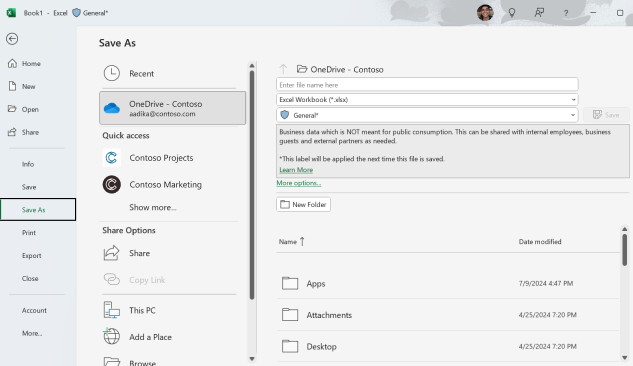
- Select File > Save As. If you don't see Save As, look for Move and then navigate to the OneDrive location you want to use. If you're using Excel for the web, you're likely already saving to OneDrive.
- For work or school, select
OneDrive - <Company name>. - For personal files, select
OneDrive - Personal.
- Enter a file name and select Save.