

Note
Before you can update guest permissions, the person must be added as a guest to your team (see Add guests to a team).
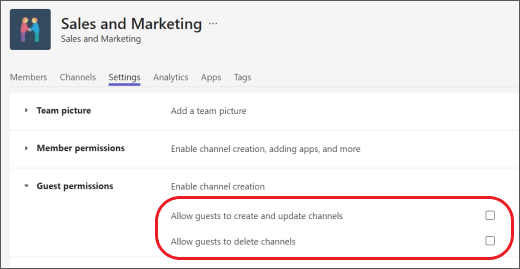
Guests have fewer capabilities than team members, but there's still a lot they can do in channels. Team owners can set guest permissions for channels on desktop or web. To set guest permissions:
- Hover over the team name and select More options
 > Manage team
- Select Settings > Guest permissions. Check or uncheck the permissions you want to allow.
- Your guests can now collaborate with team members in channels.
Note
File permissions for guests reflect what your admin has set in your SharePoint settings. >These can only be changed by your admin.